Free YouTube Video Download Apps for Android, iPhone & PC
 Olivia Morgan
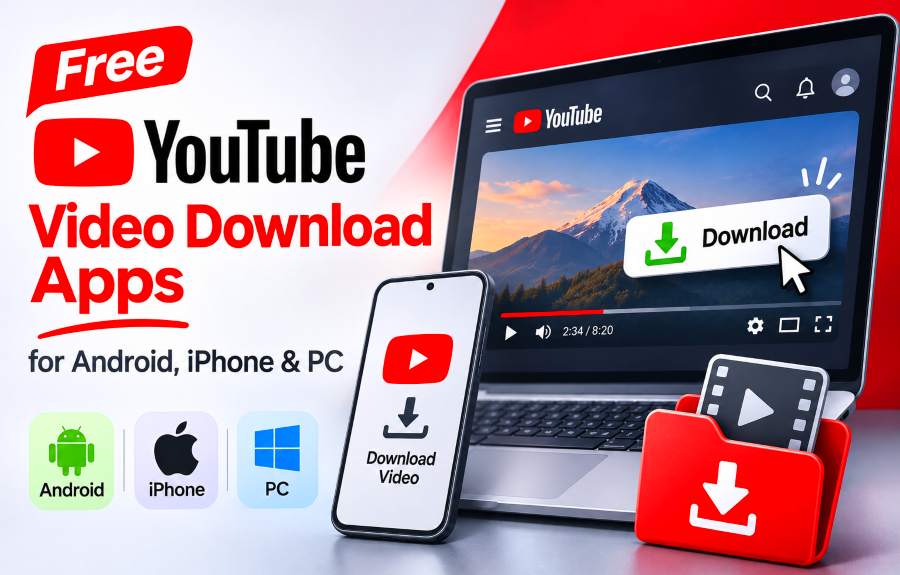
Looking for a free YouTube video download app? You have several options, including Android applications, desktop software, and browser-based downloaders. But the best choice depends on whether you want to watch videos offline, save an MP4 file, or download content without installing another application.
If you prefer a simple browser-based solution, TubeToSave offers a free online YouTube downloader that lets you paste a video link, review available formats, and save supported videos to your device. It requires no separate downloader installation or account registration.
However, online downloaders are not the right choice for everyone. YouTube has its own offline viewing features, while some desktop and Android applications provide additional controls. Understanding these differences will help you choose the appropriate method without wasting time installing unnecessary software.
TL;DR: You don't necessarily need to install an application to download a YouTube video. TubeToSave offers a free browser-based option for supported videos, while YTDLnis is an installable Android alternative and 4K Video Downloader Plus provides desktop software with free-tier limits. If you only want offline playback within YouTube, its official download feature may be sufficient. Always check video eligibility, download permissions, and available formats before saving content.
Do You Really Need a YouTube Video Downloader App?
Not always. The word download can describe several different actions, and choosing the wrong tool may leave you with a result you cannot use.
For example, YouTube's official offline feature allows you to watch certain downloaded videos inside its app. However, these downloads are stored in an encrypted format and are not ordinary MP4 files you can transfer to another media player.
A browser-based downloader serves a different purpose. Rather than requiring you to install an application, it processes a supported video URL and presents available file formats that you can save through your browser.
A native downloader application may offer more specialized capabilities, such as download management or advanced format selection. But those extra capabilities are unnecessary if your task is simply to save an occasional authorized video file.
Which download method fits your needs?
What you want to do | Recommended starting point |
|---|---|
Watch a video offline within YouTube | YouTube's official offline feature, where available |
Download a supported video as MP4 without installing software | TubeToSave |
Use a dedicated Android downloader application | YTDLnis |
Install video downloading software on a PC | 4K Video Downloader Plus |
Download a video you uploaded to your own channel | YouTube Studio |
Save only the audio from an eligible video | An MP3 downloader |
The most important question is not simply which downloader is free. It is whether the resulting file or offline access meets your needs.
Free YouTube Video Download Apps and Online Alternatives Compared
Free downloading tools differ in compatibility, installation requirements, output formats, and usage restrictions. Here are the options worth understanding before choosing one.
1. TubeToSave — Free Online YouTube Video Downloader
Best for: People who want a browser-based video downloader without installing additional software.
TubeToSave provides an online alternative to traditional YouTube downloader applications. Instead of installing a program, you open the website, enter a supported video URL, and review the available download options.
The service advertises several useful features:
Free browser-based downloading without account registration.
MP4 format options when available for the submitted video.
Resolution choices that may include 720p, 1080p, and 4K, depending on the source.
Access through compatible browsers on Android, iPhone, Windows, and Mac.
No additional TubeToSave watermark applied to downloaded files.
The main benefit is convenience. If you only need an occasional video file, installing dedicated software may add unnecessary steps. TubeToSave lets you check the available formats directly from your browser.
However, not every video provides the same options. Available resolutions, formats, and audio tracks depend on the source. TubeToSave also does not claim to bypass private-video permissions, memberships, DRM, or other access restrictions.
Our recommendation: Consider TubeToSave when you need a normal downloadable video file, prefer not to install software, and have the necessary authorization to save the content.
You can check the available formats using the free online YouTube video downloader.
2. YouTube's Official Offline Download Feature
Best for: Watching eligible videos without an internet connection.
YouTube supports offline viewing for certain videos in selected countries and regions. Some videos can be downloaded through the mobile app without a Premium subscription, while other offline features require YouTube Premium.
This option makes sense when you only want to watch content later and do not need to transfer or edit the file.
The limitation is important: videos saved through YouTube's official offline feature are not ordinary downloadable MP4 files. You generally access them within YouTube's supported playback environment.
If offline viewing is your only requirement, check whether the Download option is available in YouTube before considering another service.
3. YTDLnis — Free Android Video Downloader App
Best for: Android users who specifically want an installable downloading application.
YTDLnis is a free, open-source Android downloader built around yt-dlp. Its developer documentation specifies Android 7.0 or later, and the app does not have an official iOS version.
Unlike an online downloader, YTDLnis must be installed on your device. It provides an interface for downloading supported media and includes additional controls for people who need more than a basic browser workflow.
Its developers state that the application is free and has no advertisements. They also direct users to official distribution sources rather than unofficial copies.
For someone who downloads authorized content regularly and prefers a dedicated Android interface, YTDLnis may be worth evaluating.
If you do not want to install an APK or manage application updates, TubeToSave is a simpler browser-based alternative to consider.
4. 4K Video Downloader Plus — Free Desktop Software
Best for: Windows, macOS, and supported Linux users who want installed downloader software.
4K Video Downloader Plus provides a desktop application for downloading supported online videos. Its features include resolution selection, multiple file formats, and options designed for more involved downloading workflows.
The application has a permanent free tier, but free access comes with quantity and feature limitations. Some capabilities require a paid license.
According to its published compatibility information, the desktop application supports Windows 11, macOS 12 or later, and certain supported Linux environments. Users should verify current operating-system requirements before installing it.
This makes 4K Video Downloader Plus a more appropriate candidate for people who specifically want desktop software and its additional controls.
For occasional authorized downloads, a browser-based service such as TubeToSave can avoid the installation process.
5. YouTube Studio — Download Your Own Uploaded Videos
Best for: Creators who need an MP4 copy of content they uploaded.
If the video belongs to your YouTube channel, YouTube Studio should usually be your first stop.
On a computer, sign in to YouTube Studio, open Content, locate the video, and select its download option from the video menu.
YouTube documents MP4 downloads at 360p or 720p, depending on video size, and also provides Google Takeout as an option for retrieving uploaded videos.
Studio downloads have restrictions. For example, a removed video, certain copyright or Community Guidelines issues, or repeated downloads within a short period may affect availability.
If you need the original high-resolution master file, check your local backup before assuming that the Studio download will reproduce the original upload quality.
How to Download a YouTube Video Using TubeToSave
For users who prefer an online solution, TubeToSave's published workflow is designed around copying a video URL, checking available file formats, and saving a suitable option.
You need a compatible browser, a supported YouTube URL, sufficient storage, and appropriate permission to download the content.
Step 1: Copy the YouTube video URL
Open the YouTube video you want to save. On a smartphone, use the Share option to copy the video link. On a desktop browser, copy the video's address from the address bar.
Make sure the URL points to the intended video rather than a search results page or unrelated website.
Step 2: Open the TubeToSave downloader
Visit TubeToSave's online video downloader using your preferred compatible browser.
The page provides a field for entering a YouTube video link. You do not need to create a TubeToSave account or install its software to use the standard browser workflow.
Step 3: Paste the link and check the available formats
Paste your copied URL into the input field and submit it for processing.
TubeToSave is designed to analyze supported links and display available download options.
The results can vary from one video to another. A source uploaded at a lower resolution will not necessarily offer a true high-resolution version, and certain formats may be unavailable.
Step 4: Choose the appropriate video quality
Select the format and resolution that meet your requirements.
For everyday viewing, 720p may provide a practical balance between picture quality and storage usage. A 1080p file may be preferable for detailed instructional content or viewing on a larger screen. Higher resolutions can provide additional detail when genuinely available, but they generally require more storage.
Important: Some high-resolution video options may contain no audio track because YouTube can provide video and audio as separate streams. Check the format information before downloading if you need both picture and sound.
Step 5: Download and verify the file
Choose an available download option and follow your browser's saving process.
Depending on your device and settings, the completed file may appear in your Downloads folder, browser download history, or another configured location.
After saving it, open the file and verify that:
The video plays in your intended media player.
The picture quality is sufficient.
Audio is present when required.
The file has been saved to the expected location.
A link being processed successfully does not necessarily mean every requested format is available. If the result does not meet your needs, review the other supported options before trying again.
Which Free YouTube Downloader Should You Choose for Your Device?
Your operating system affects which applications are available, but it should not determine the decision by itself.
Android phones and tablets
Android users have several approaches.
If your only goal is offline viewing, check YouTube's built-in download option first. Its availability depends on your location, the particular video, and applicable membership requirements.
If you specifically need an installed downloading application, YTDLnis is a documented free Android option. It requires installation from an appropriate source and may demand more familiarity with file formats and application settings.
If you prefer not to install additional software, TubeToSave provides a browser-based workflow for checking supported video formats and saving eligible files.
For beginners, deciding whether a standalone file is necessary can eliminate much of the confusion.
iPhone and iPad
Downloading on iPhone can feel different because browser-saved files are often managed through the Files app rather than appearing automatically in Photos.
TubeToSave describes a workflow using Safari or another compatible browser. You can submit a supported video URL, select an available option, and save the file through the browser.
If the download completes but you cannot locate the file, check the Files app, your browser's download manager, and the configured download folder.
YTDLnis is not an option for iPhone because its developers do not provide an iOS version.
For playback inside YouTube, use the official offline feature when available instead of assuming that a third-party file is required.
Windows, Mac, and Linux computers
Desktop users should choose based on how often they need downloading software and which features are necessary.
4K Video Downloader Plus offers a native desktop application with advanced controls, but its free tier has limits and its system requirements should be checked before installation.
TubeToSave provides a no-installation alternative for compatible desktop browsers. It is useful when a straightforward file download is sufficient and the submitted content is supported.
Creators who simply want a copy of their own uploads should also check YouTube Studio before using a third-party service.
What Does a Free YouTube Downloader Actually Include?
The word free can describe several different pricing models.
Some applications are completely free and open source. Others allow limited free downloading but reserve advanced features or larger usage allowances for paid customers. Browser-based services may advertise free standard functionality without a subscription.
These differences matter because an application being free to install does not mean every downloading feature is free to use.
For example, 4K Video Downloader Plus documents a permanent free tier with quantity limitations. YTDLnis is published as free and open source. TubeToSave advertises a free standard browser workflow without account registration.
Before relying on any downloader, check whether the feature you need is available without payment, whether it has usage limits, and whether it supports the required device and file format.
Do not assume that free means unlimited, universally compatible, or guaranteed to work with every YouTube URL.
MP4 or MP3: Which Format Do You Need?
Choosing the right file format can be just as important as choosing the application.
MP4 is generally the better choice when the video image matters. It is suitable for screen recordings, instructional videos, demonstrations, and other content where visual information is essential.
MP3 is an audio-only format. It may be more convenient when you only need the sound from an authorized recording, such as your own podcast, presentation, or spoken-word content.
If you want to save only the audio, TubeToSave offers a separate YouTube MP3 downloader that lets users check available audio qualities for supported links.
Keep the full video when the picture conveys information you need. Choose audio-only when the visual component adds no practical value.
Why Is Your YouTube Video Not Downloading?
A failed download does not always mean the application or website is broken. The source URL, available formats, browser configuration, or access restrictions may be responsible.
Problem | What to check |
|---|---|
No download options appear | Confirm the URL is complete and the video is still accessible |
Requested resolution is missing | Check the original video's quality and available formats |
Downloaded video has no sound | Check whether you selected a video-only stream |
File downloaded but cannot be found | Check browser history and the configured Downloads location |
File will not play | Check file completion, extension, and media-player compatibility |
Video is private or restricted | Use an authorized access method; do not attempt to bypass restrictions |
For example, imagine that you are saving your own instructional video and select a high-resolution option. The resulting file has excellent picture quality but no sound.
The first useful check is not to reinstall the downloader. Instead, inspect whether the selected format included an audio track. Choosing a different available format containing both video and audio may solve that particular problem.
If a video is unavailable, private, paywalled, or restricted by access controls, a downloader should not be treated as a way to override those restrictions.
Is Downloading YouTube Videos Allowed?
Permission depends on the content, the applicable law, and YouTube's terms.
YouTube restricts downloading content outside methods specifically permitted by its service, appropriate permissions, or applicable legal exceptions. Copyright permission from a creator and authorization under YouTube's platform terms are related but separate considerations.
For that reason, use official download features where appropriate, and only use third-party downloading methods when you have the necessary rights and authorization.
TubeToSave is intended for supported, permitted downloads. It is not designed to bypass DRM, memberships, paywalls, or private-video access controls.
Final Recommendation: Choose the Method That Fits Your Goal
If you need offline playback rather than a regular file, start with YouTube's official features. If you need dedicated Android or desktop software, compare native applications and their current free-tier limitations.
But if your goal is to save a supported, authorized video file without installing additional software, TubeToSave provides a convenient browser-based option to consider.
Check the available formats, select the quality you actually need, and verify the saved file before relying on it.
Method note: This guide compares publicly documented product features and official YouTube guidance reviewed on October 31, 2026. The comparisons reflect published capabilities and an editorial decision analysis, not independent download-speed, reliability, or security testing.
Start With a YouTube Link
Use TubeToSave tools to discover available video, audio and related options from a supported URL.